
Windows 11 KB5101684: Microsoft Releases Update With 42 Changes and Fixes for Millions of PC Users

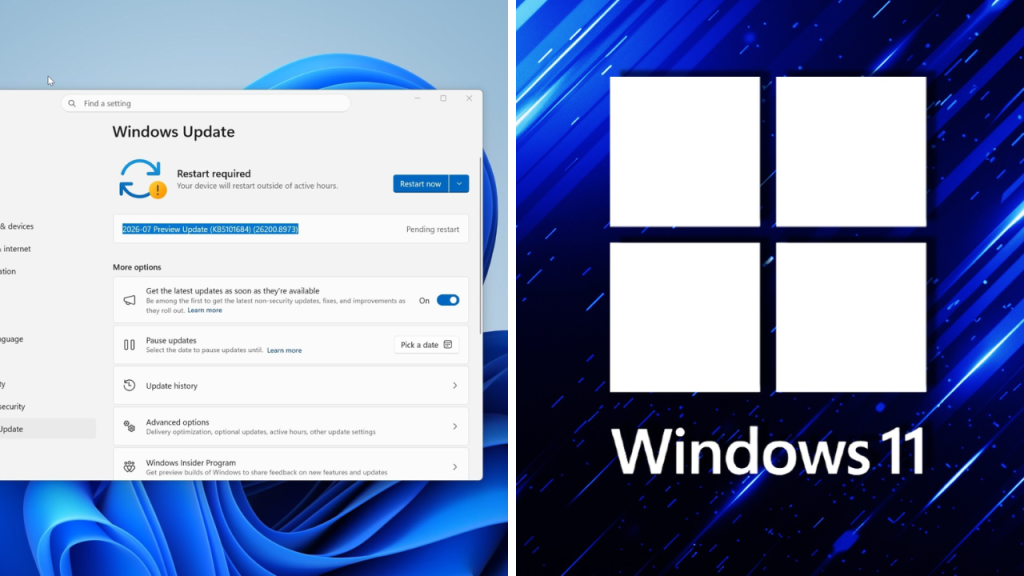
Microsoft has begun pushing out the Windows 11 KB5101684 update, which is a huge batch of improvements, bug fixes and system tweaks for millions of eligible PC users. Early reports suggest the update includes some 42 fixes for performance, security, File Explorer, the taskbar, system stability, and a bunch of regular Windows features.

Windows 11 KB5101684 sounds more like a big maintenance update than a big redesign. It is expected to focus on stability improvements, fixing known issues and getting compatible computers ready for the upcoming Windows features.

Windows Explorer major fixes
KB5101684 is said to be one of the major areas that was improved in File Explorer.
 Gemini for macOS Introduces New Voice Features and Screen Awareness for Better Productivity
The update will likely fix issues such as slow loading of folders, random crashes, slow to open context menus, and navigation problems. Microsoft has been working to improve the speed and reliability of File Explorer, especially for those who have large folders or network-connected drives.
 Samsung Galaxy Users Report Battery Drain and Overheating After Installing the Latest Update
The update could also make thumbnails, recent files, and cloud content look better. If you move frequently, shuffle and manage lots of files, these changes may mean less disruption for you.
More Dependable Taskbar and Start Menu
There’s also a few taskbar and Start menu fixes coming.
Some users have previously reported issues such as icons disappearing, slow menu loading, and unresponsive taskbar items after waking the computer from sleep. KB5101684 should fix these problems and make the interface generally more responsive.
Microsoft could also improve the notification behaviour and the system tray icon appearance. These are very small changes but can make a huge difference to the daily Windows experience.
Performance and Stability Enhancements
Performance is another major focus of the update it seems.
The changes could mean fewer unplanned slowdowns, faster app launches and removal of background processes that hog too much memory or processor resources. An update that improves resource management would help most users with older or less powerful computers.
Microsoft will also be working on sleep mode, display changes, Bluetooth devices and multi-monitors crashes. Real improvements depend on the hardware and software installed.
Security enhancements for Windows users
One of the main reasons to install KB5101684 is the security updates.
It may include patches for security holes in Windows core components, networking services, authentication systems and Microsoft applications. The patches are intended to help prevent attackers from exploiting vulnerabilities to gain access to data, or disrupt system operation.
Even if you’re not having any performance issues, users should still consider installing the update when it’s officially released for their device.
Possible Gaming and Graphics Problems
The update reportedly improves gaming and graphics performance.
Some Windows 11 users have reported issues like frame rates dropping, screens flickering, or crashing, and problems switching between full-screen and windowed mode. KB5101684 may include improvements to boost performance for graphics drivers and newer games.
Microsoft might also change its support for variable refresh rate displays, HDR and multi-monitor setups. Gamers should also update their graphics drivers for best performance.
Bluetooth & Connectivity Fixes
One more thing to think about is wireless connectivity.
This update may enhance the stability of your Wi-Fi and Bluetooth pairing, and reliability of connections made to wireless accessories. If your headphones, keyboard, mouse or controller have been disconnecting randomly, you may see an improvement after installing this fix.
Business users connecting via VPNs, remote desktops or shared office networks can also benefit from network updates.
How to Install KB5101684
Eligible users can check if they have the update by going to Settings > Windows Update > Check for updates.
According to Microsoft’s rollout schedule, KB5101684 could be installed automatically or offered as an optional preview update. You should take the time to save any important files and restart your computer after installation to ensure the changes are properly handled.
Microsoft usually releases updates gradually, so it might not show up on all your devices at once.
Sources
- Microsoft Support – Windows update history, known issues and installing.
- Windows Release Health – Windows 11 update and deployment issues status.
- Windows Insider – Blog Preview features, testing and fixes coming your way
- Microsoft Security Response Centre – Official Microsoft site for security vulnerabilities in Microsoft products.
- Windows Central – The latest Windows 11 features and more.
- BleepingComputer – Microsoft updates, security fixes and Windows troubleshooting.
