
Samsung Galaxy Users Report Battery Drain and Overheating After Installing the Latest Update

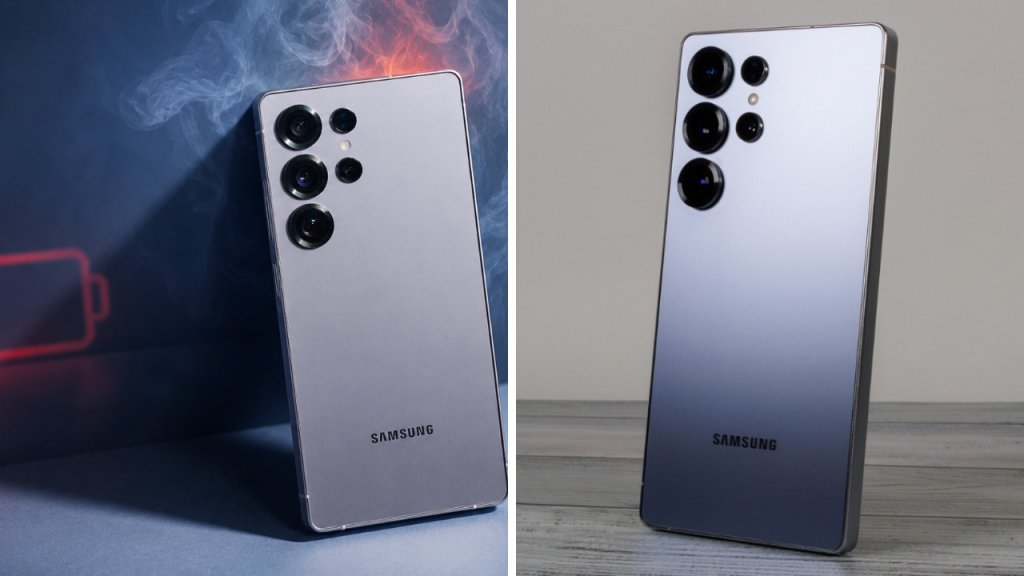
Samsung Galaxy owners report their phones are overheating and the battery is draining after installing the latest software update. Community forums and social media have reported that some devices are draining battery faster than usual and becoming noticeably warm during regular use such as browsing, streaming video, messaging and charging.

It appears not all phones are affected equally by the Samsung Galaxy battery drain issue that’s being reported. It could be the model, battery health, apps installed, network strength, how long ago the update was installed. Based on what’s available, Samsung hasn’t yet officially admitted a common fault.
 Gemini for macOS Introduces New Voice Features and Screen Awareness for Better Productivity
“Battery life got worse after update.”
Most common complaint: battery life has been significantly shortened.
 iOS 26.6 Update: Apple Rolls Out 3 New Features That Every Eligible iPhone User Should Know About
Some users report needing to charge their Galaxy phones more frequently during the day, even when used in the same way. Some others mention weird power consumption when the device is idle or overnight.

Software updates can cause increased battery usage for a short time while the phone reindexes files, optimises apps, rebuilds system caches, and runs background setup tasks. It can take a few hours, or in some cases a couple of days.
Users Also Feel Warmer
Besides the faster battery drain, multiple users also report their devices feeling warmer than usual.
That heat can build up while you’re charging, using mobile data, recording video, using navigation apps or doing other demanding tasks. Sure, a smartphone will get a bit warm when in heavy use, but too much, or too long, and it will affect comfort and battery efficiency.
If the problem continues even when you use the PC lightly, this could indicate that a background process or a badly optimised app is consuming too many of the system’s resources.
Background apps may be the culprit
The reported problem may not be related to the update itself.
Apps that haven’t been updated to the latest version of software may use more power or keep the processor running in the background. You can check the device settings and see the most power-hungry apps to understand the battery activity.
You can update your applications on Galaxy Store and Google Play Store, which may improve compatibility and reduce unnecessary power consumption.
What users can try to do:
Once you’ve updated your phone, rebooting it can help to complete background processes and clear temporary system behaviour.
Users should also check for updated firmware, update all apps that have been installed, reduce any background processes that aren’t needed, and check their location, Bluetooth and mobile data usage. In the meantime, you may get some relief by dimming the display and disabling unnecessary features.
If the device becomes hot, turns off unexpectedly or shows signs of a swollen battery, stop using the device and contact Samsung Support or an authorised service centre.
Samsung might offer another fix.
Samsung also regularly releases maintenance updates that include battery management, security, system stability and thermal performance improvements.
If the company discovers a software bug was introduced in the latest update, then they may issue a follow-up patch to address the problem. These fixes might be released at different times depending on your mobile carrier, device model, and region.
You can also use the Samsung Members app to send error reports and diagnostic information directly to the company.
Not every device will be affected
Battery life differs widely even on the same Galaxy phone depending on the user.
Old batteries, poor reception, high brightness, gaming, camera use, or apps that have been recently installed can all drain your battery faster and make your phone hot. Individual complaints therefore are not in themselves a sign of a systemic defect.
Users should wait a few days after installing the update and compare battery statistics to see if the update is the primary cause.
Sources
- Official Samsung Support – Get product support, troubleshooting, firmware updates and repair information
- Samsung Members – Community notices, diagnostics & user reports
- Samsung Newsroom – Software and Galaxy product launches.
- SamMobile – Samsung firmware, Galaxy updates and device problems
- Android Authority – Android updates, Samsung coverage, and battery life
- The Verge – Tech news, entertainment and tech product reviews.
