
Samsung Galaxy S26 Ultra Users Report Red Display Tint Issue After Latest Rollout

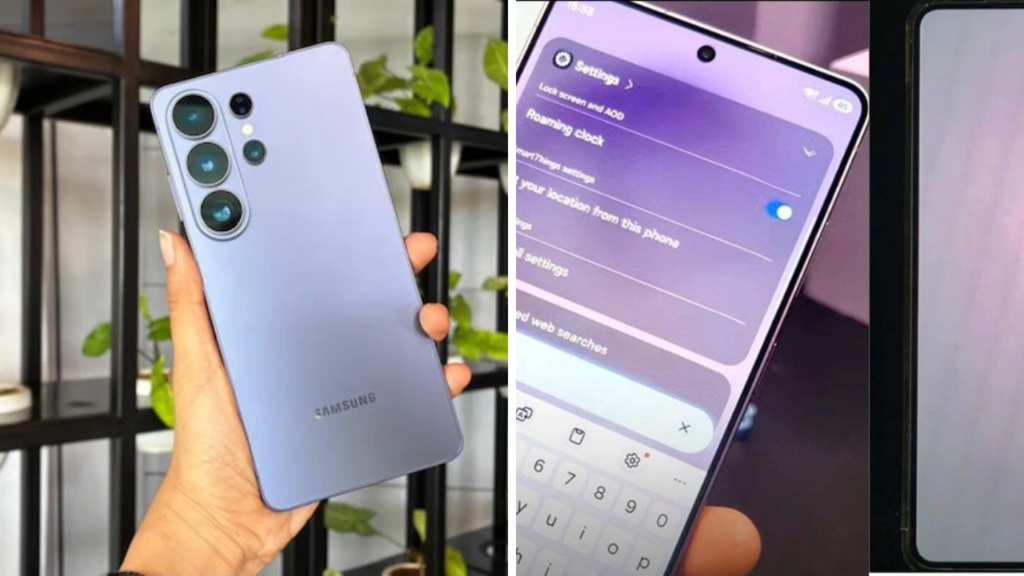
The newest update has caused a red-tinted display problem for Samsung Galaxy S26 Ultra users. Some online forum and social media users have reported a noticeable reddish colour shift on some of the devices, affecting the overall look of the screen. The issue has raised concerns, but Samsung has not confirmed the reason or whether all Galaxy S26 Ultra phones are impacted.

This appears to be affecting only a very small number of users, so this may be more about software settings specifically, than something more general with the hardware.
New update has users seeing red (colour)
After updating their Galaxy S26 Ultra, many users started to complain about an issue where the display started showing a warmer reddish tone. It is claimed that the colour change is noticeable during normal tasks such as web surfing, video playback and reading text on light backgrounds.
Some users have claimed the tint is still present even after changing the display colour settings , while others have said the issue is more noticeable at lower brightness levels . Availability of features and services is device, carrier and OS version dependent.
At the time of this writing, Samsung has not yet confirmed what exactly is causing the display behaviour users are reporting.
Continued investigation of causes
The company has not offered a reason but users have guessed the cause. This could be due to display calibration changes, bugs in the latest update or conflicts with features such as Eye Comfort Shield, adaptive colour settings or accessibility options.
As reports came in following the software rollout, many users believed that the problem was with the software and not the display panel itself. The real reason is known only to Samsung, after studying damaged devices and user feedback.
Temporary Fixes
And those who see the red tint might want to try some basic troubleshooting at the same time. You may need to update the software again, restart the device, switch the display mode between Natural and Vivid, or temporarily disable any blue light filter features.
But if the issue persists, you can reset the display settings or contact Samsung Support for further help.
These steps may not work in all situations, especially if the issue is with the software update itself.
Samsung could be pushing out a software update.
If it’s a software problem, Samsung can fix it with a future firmware update. After the big software rollouts, cell phone makers usually send out maintenance updates to fix bug reports from users.
We recommend that users go to Settings > Software Update to check that they are up to date, and to install any patches that Samsung may have issued.
You may also want to check Samsung’s official support channels and community forums for any known issues and fixes that may be available.
Official sources confirm ongoing confirmations
There’s been some chatter online about a red tint on the display, but no official word on how widespread the problem is or which devices are affected. Reports on the Internet are preliminary and not final, pending completion of Samsung’s investigation.
If this is a real issue, Samsung should be able to offer some tips or a software update to get the display back to normal. Samsung is looking into the issue and has asked affected users to report the issue through the Samsung Members app or official support channels.
Sources
- Samsung Newsroom – For official announcements regarding Galaxy software updates, fixes and product support, go to Samsung Newsroom.
- Samsung Customer Service – Samsung Support – Troubleshooting Guides, Software Updates and more for Samsung Galaxy devices
- Samsung Members Appm – Report software issues to Samsung Community forum members Discuss updates and share experiences about troubleshooting.
- Android Authority – Android Authority brings you the latest Galaxy software updates, Android bugs, Smartphone features, and Samsung device news.
- SamMobile – SamMobile has your Samsung firmware updates, Galaxy news and user reported problems.
